This support article is for customers using the Usercentrics cookie consent banner.
When customizing the Cookie Consent Solution within your license, you'll have a couple different styling options for the look of the cookie banner itself. Currently, we provide three different layout options which include a bottom left layout, a full banner style, and a wall style layout. Below are examples of how these consent layouts look on a website.
Additionally, you can also toggle the close type of the layouts. You can choose from an (x) icon, or the words (Continue without accepting). You can toggle all of these options from within the remaining questions for the Cookie Policy and Consent Tool.
These are examples of the questions from the generator which toggle the below styles:
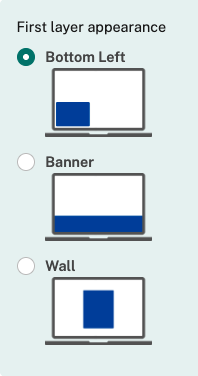
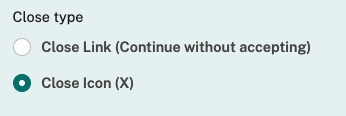
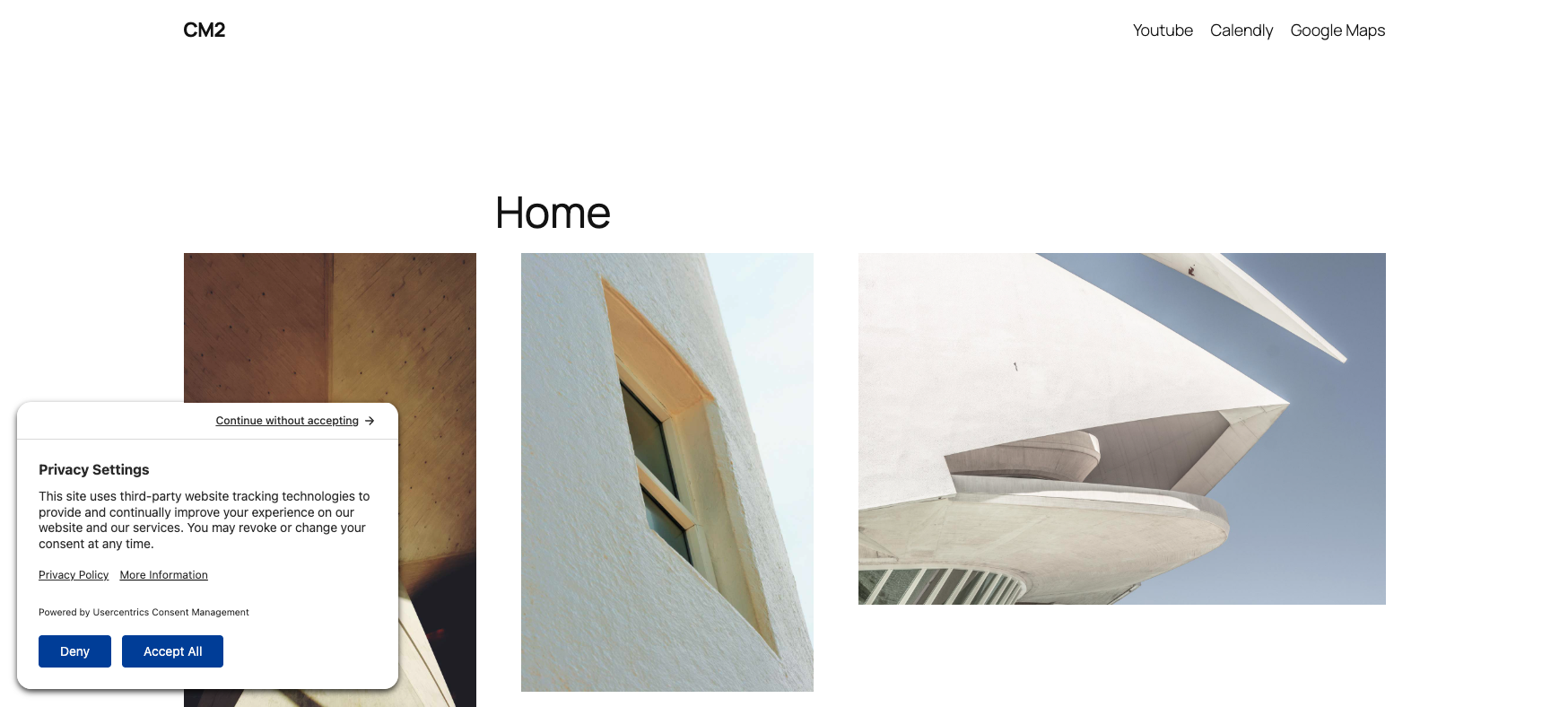
Layout appearance: Bottom left
Close type : (x) icon
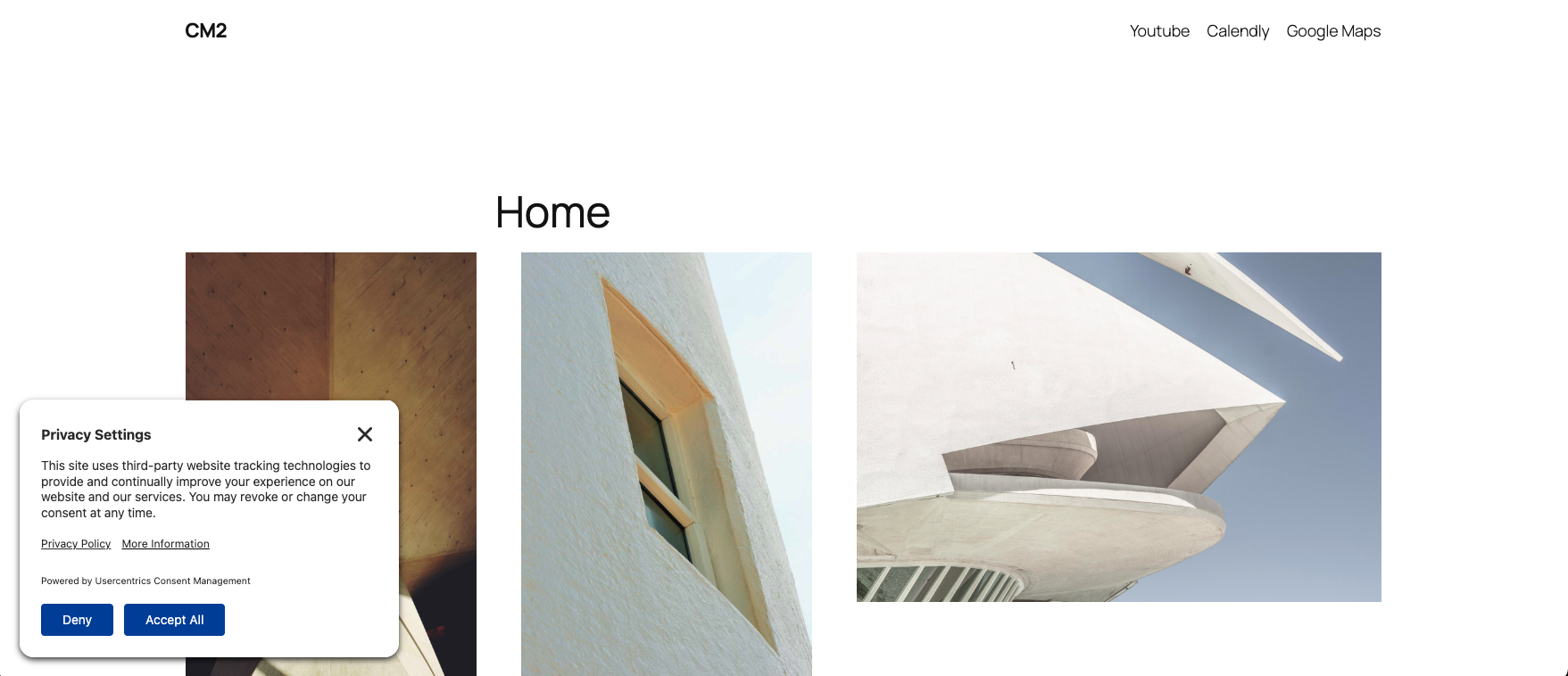
Close type : Continue without accepting
Layout appearance: Banner
Close type : (x) icon
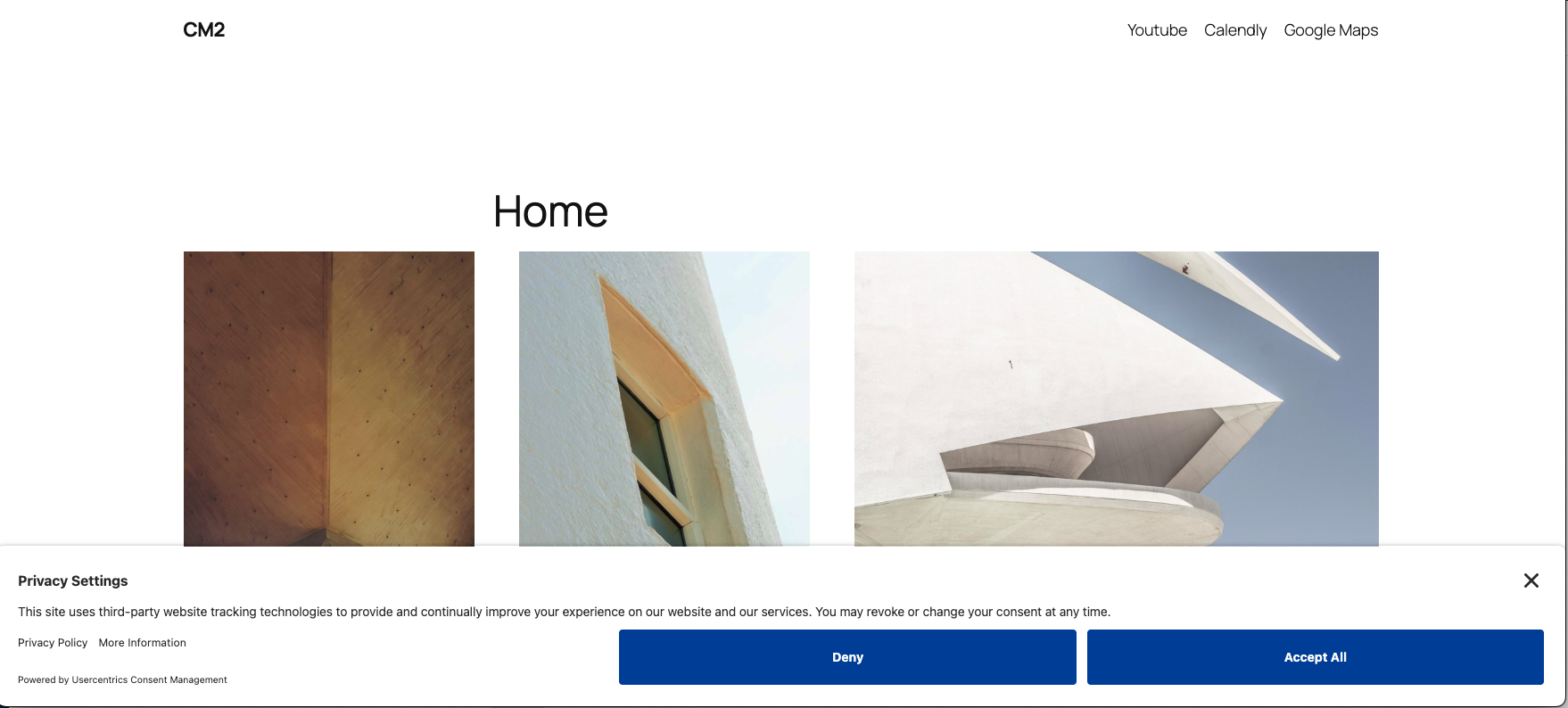
Close type : Continue without accepting
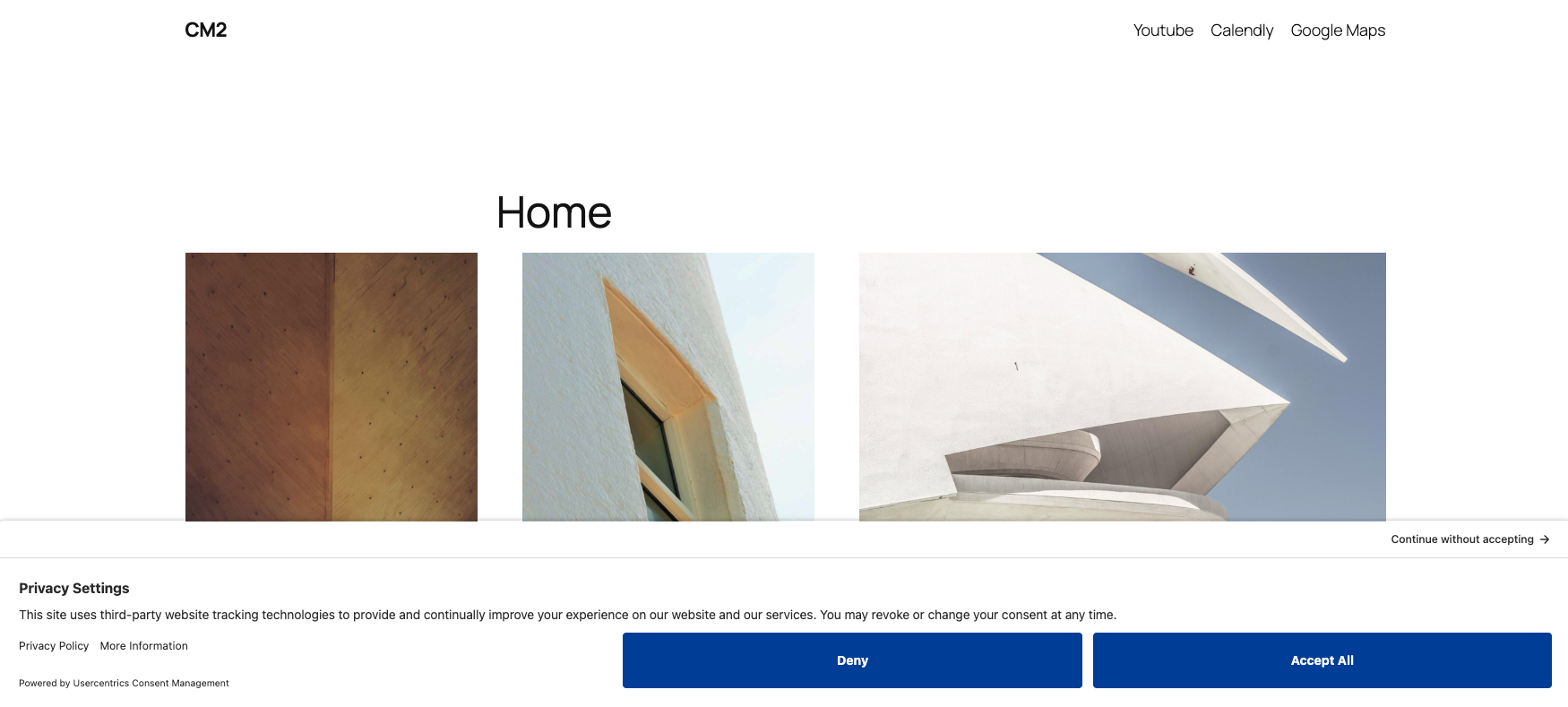
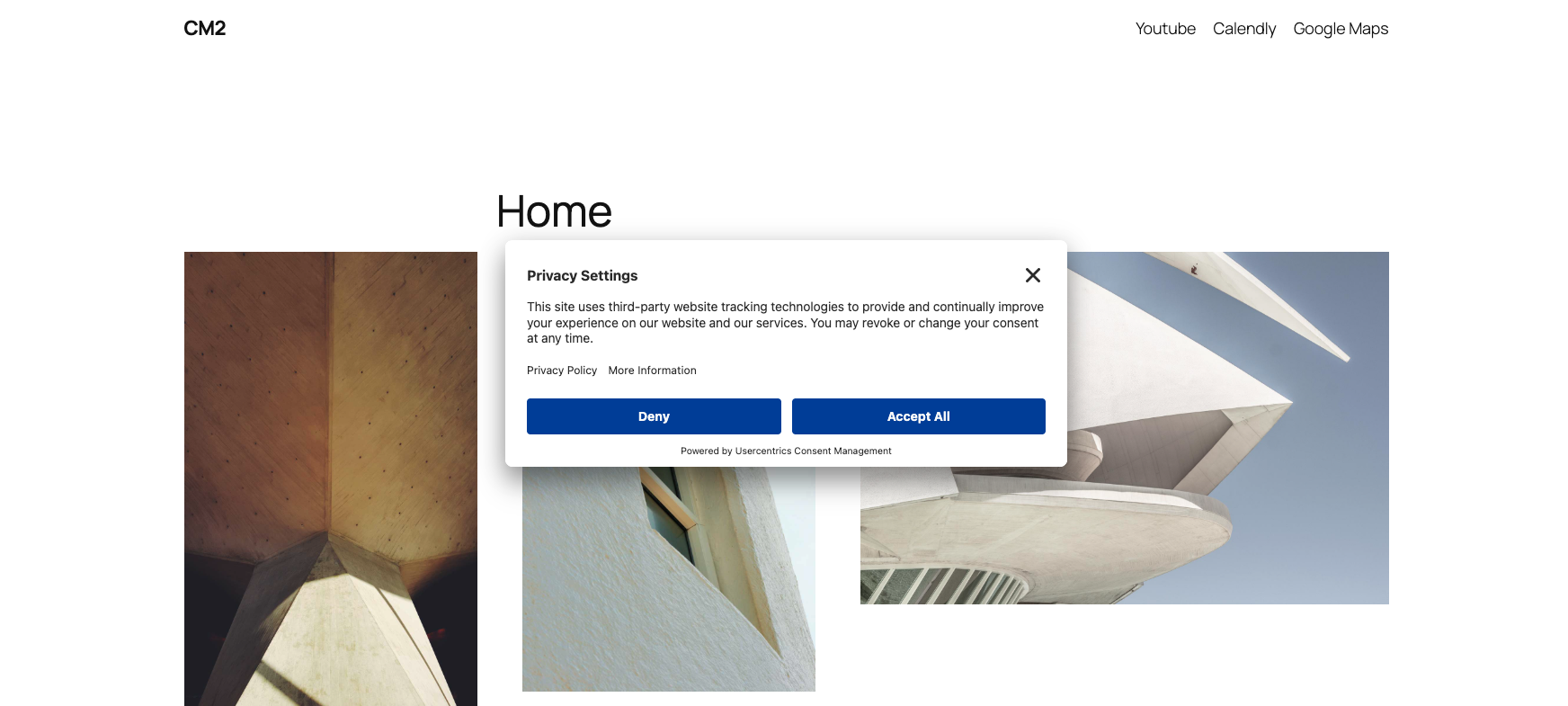
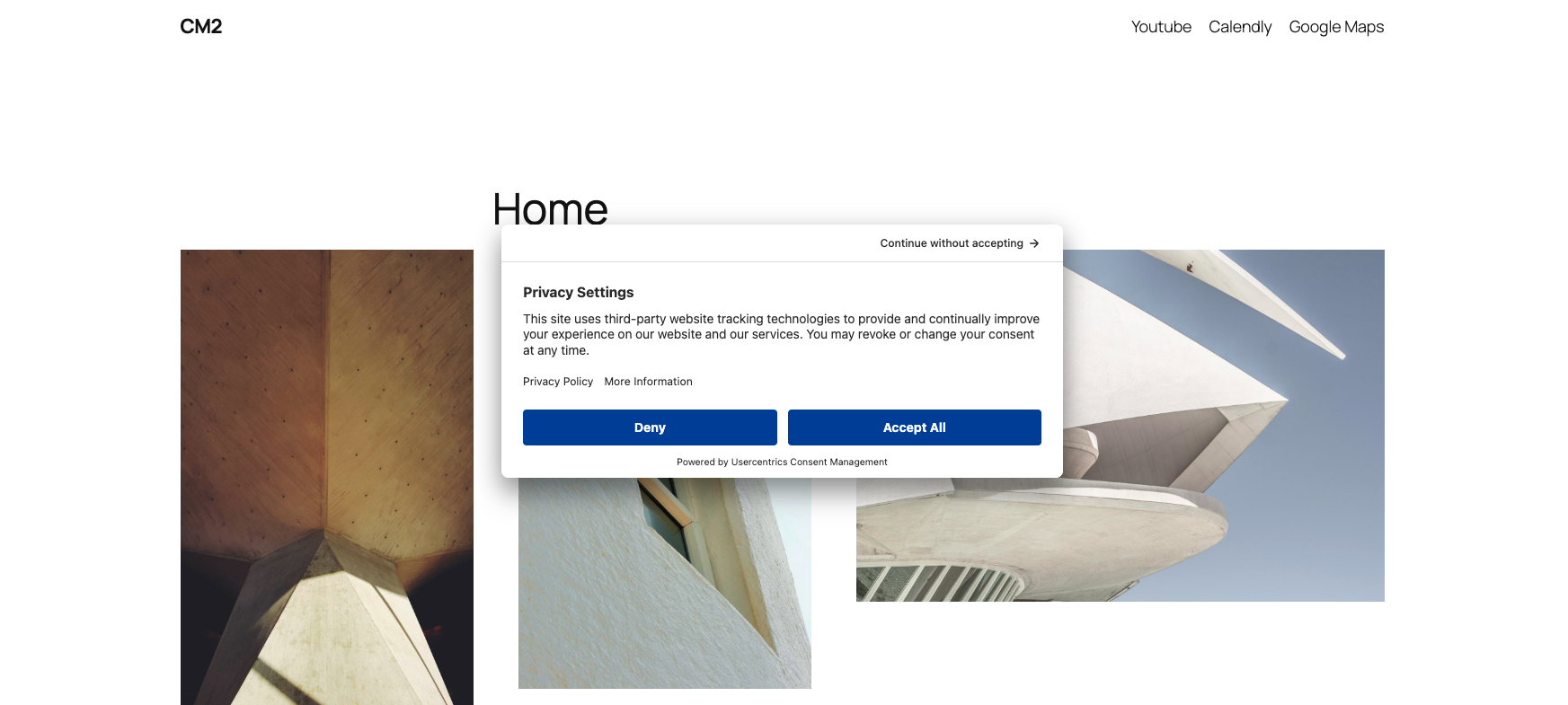
Layout appearance: Wall
Close type : (x) icon
Close type : Continue without accepting
Was this article helpful?
That’s Great!
Thank you for your feedback
Sorry! We couldn't be helpful
Thank you for your feedback
Feedback sent
We appreciate your effort and will try to fix the article